
AI study planner
up to exam day
Tell Mina when your exam is and she spreads what is left
over the days you have, with review in between.
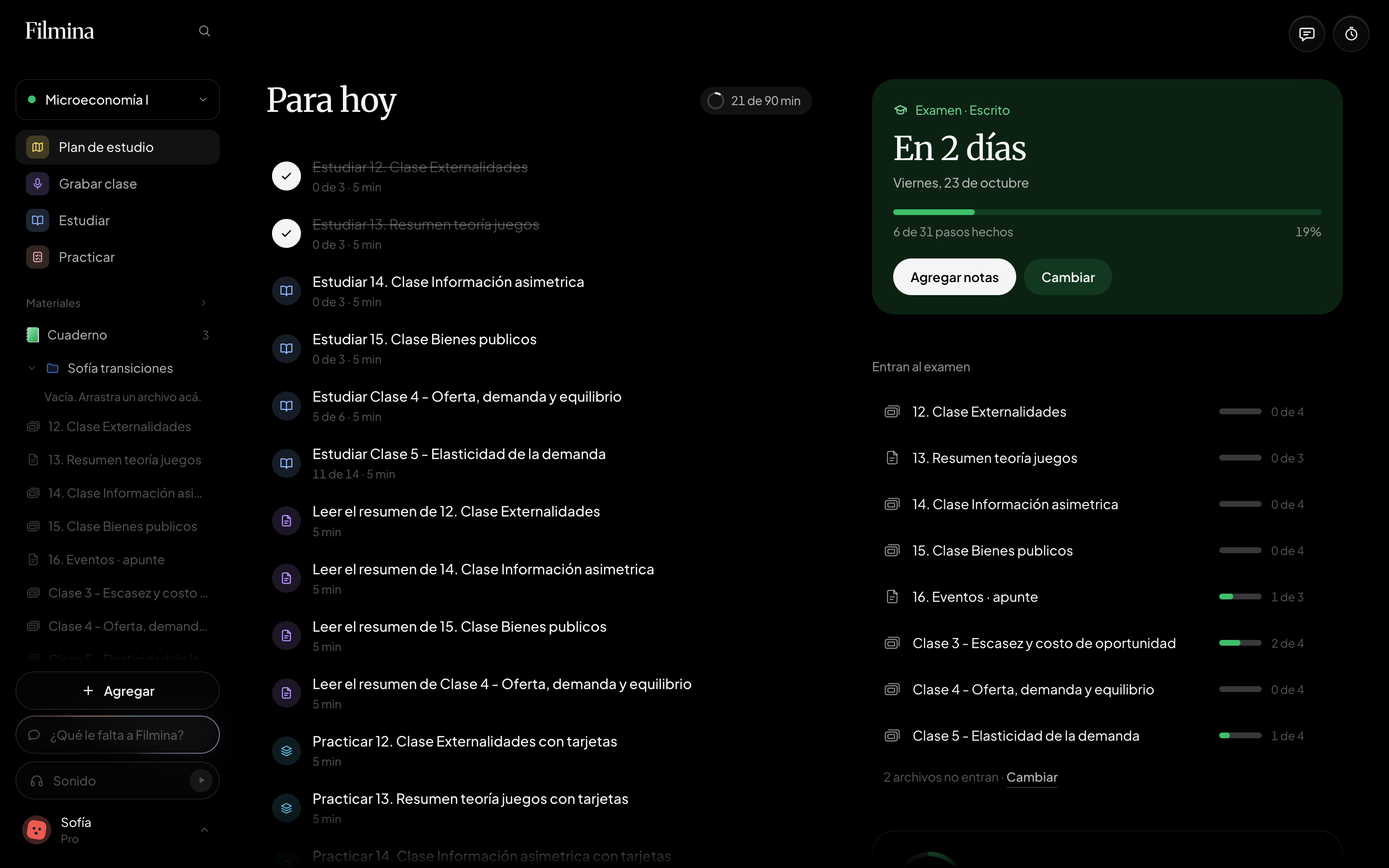
It counts back from the date
Six questions: exam date, exam type, what it covers, how you feel about each file, how you want to study and time per day.
Every day, what is next
For today shows the day's steps and the minutes you have done. Tap one and it takes you there; what it can, Filmina checks off.
Review until the end
It mixes reading, recalling concepts and practicing what was hard. The day before, a practice of everything the exam covers.
From your exam date to what to do today
-
Tell it when your exam is
In Study plan, tap Make the plan, pick the day on the calendar and answer what it covers and how much time you have per day.
-
Do today's steps
For today shows the steps for the day, each with its file. When you finish, it says Today is done, and with Get ahead you start on tomorrow.
-
Change it when you need to
Change, on the exam card, reopens the questions with your answers filled in. Mina can change it too, always with your confirmation.
Planning with Filmina, ChatGPT or Notion
| Features | Filmina | ChatGPT | Notion |
|---|---|---|---|
| Spreads what is left over the days until your exam | |||
| Starts from what you already studied in each file | |||
| Every step takes you straight to the file or the practice | |||
| Shown in your week, next to Google, Apple or Outlook | |||
| Tells you in numbers when your minutes are not enough |
What students ask before building a plan
Does the plan know what I already studied?
Yes. It is built from what you already studied in each file, and for each one you say how you feel: Haven't seen it, Struggling, Getting there or Got it.
What if I do not have enough time?
If what is left does not fit in the minutes you chose, a card tells you in numbers, with how many minutes a day it would take. Then you change the minutes or what it covers.
What if my exam date changes?
With Change, on the exam card, you set the new date and the plan is rebuilt. If the date passes and you did not mark it, it asks whether you already took it or want a new date.
Can I see it on my calendar?
Yes. Filmina's calendar puts the minutes the plan asks for in the first free slot of each day, next to your Google, Apple or Outlook calendars.
How much does it cost?
You can start free, no credit card. Pro gives you more minutes, more questions to Mina and more practice, and it is paid monthly inside the app.