
Explain lecture slides
with AI, out loud
Open the lecture and Mina explains it slide by slide,
pointing at the part she's talking about.
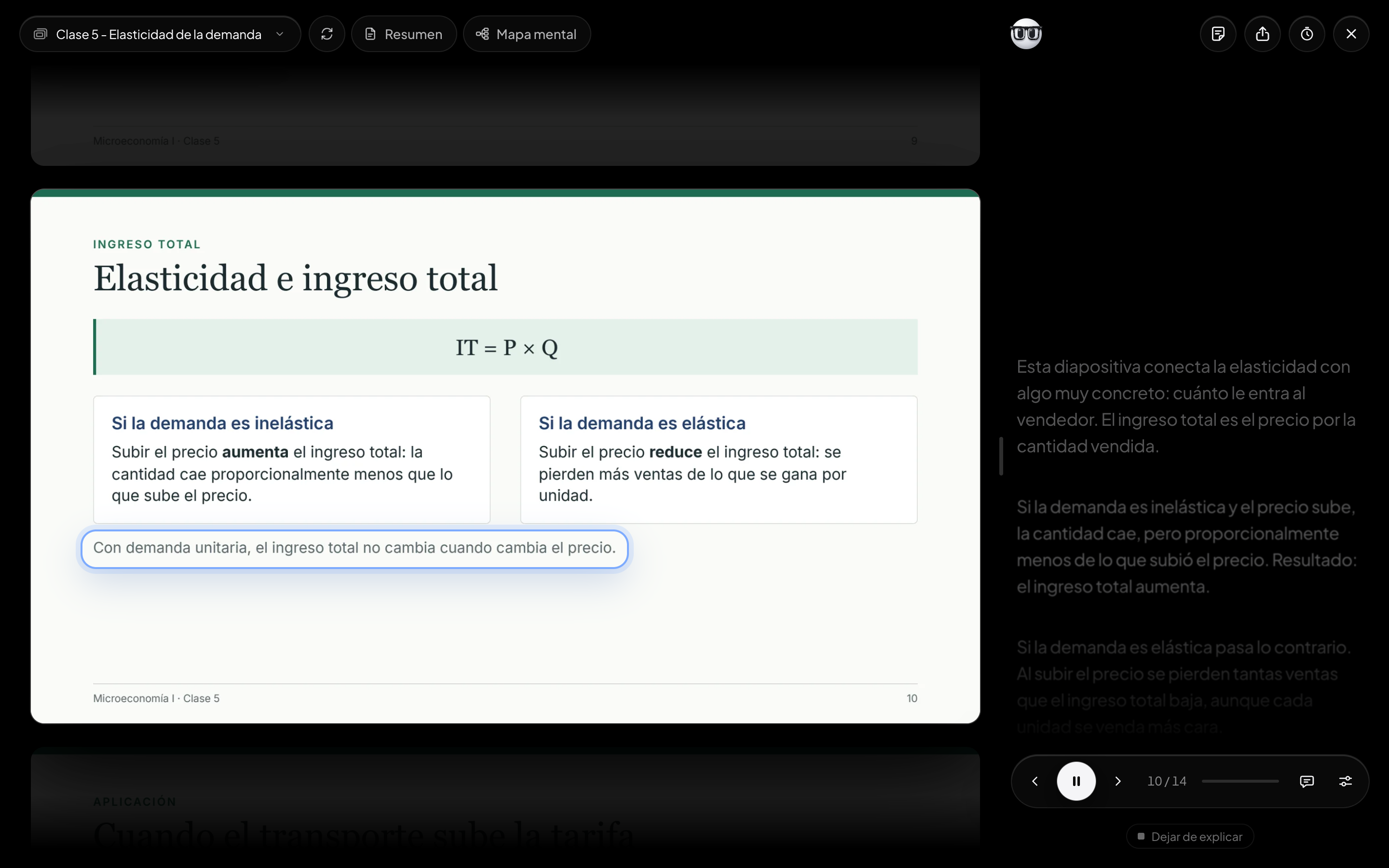
Points at what she means
A frame surrounds the block the voice is talking about and moves on when the idea changes. You always know where to look.
Reads the whole slide
She looks at the image too: charts, tables, diagrams and scans, even handwriting. What she can't read, she doesn't guess.
Nothing gets skipped
Every block is checked by code and a missed one is asked for again. If a paragraph says what the slide doesn't, tap This is wrong.
A whole lecture, explained while you look at it
-
Upload the presentation
As a PDF or PowerPoint. It is explained in the language it is written in, Spanish or English, in Mina's voice or Mino's.
-
Mina explains it
Tap it in Study and it starts where you left off. While you listen to one slide, the next two are already being prepared.
-
Ask without losing the thread
Ask about this slide, in the dock, opens Mina and pauses the voice. When you close it, she says «Let's continue» and starts the paragraph over.
Explaining with Filmina, ChatGPT or NotebookLM
| Features | Filmina | ChatGPT | NotebookLM |
|---|---|---|---|
| Explains every slide out loud, in order | |||
| A frame points at the part she's talking about | |||
| Reads charts, tables and scanned slides | |||
| Covers the whole slide, without picking what to tell | |||
| Asks you a question at the end of every slide |
What students ask before listening to Mina
Does she just read the slide word for word?
No. She rephrases it and tells you what each thing means and why it matters, keeping figures, names and formulas exactly as they appear. The slide is already in front of you, so there is no need to read it.
Does it work with charts, tables or scanned slides?
Yes. Mina gets the slide as an image as well as its text, so she explains charts, tables and diagrams. On a scanned slide, whatever can be read, handwriting included, gets explained; what can't is left out instead of guessed.
Can I choose the voice and the speed?
Yes. There are two voices per language, Mina and Mino, and the speed goes from 0.8× to 1.75×. You can change both in Settings, in the dock, whenever you like.
What if she explains something that isn't on the slide?
Tap This is wrong on that paragraph. Filmina looks at the slide again and, if you are right, rewrites the paragraph and voices it again.
How much does it cost?
You can start free, no credit card, with welcome minutes of explanation and more every month. Pro gives you more minutes and is paid monthly inside the app. Listening again to what was already explained costs nothing.